Run multiple AI accounts on macOS without logging out.
ai-profiles lets you keep multiple Claude and ChatGPT accounts side by side — the desktop app and the CLI both — and move a coding session from one account to another. Free, open-source, local-only.
macOS 12+ · MIT
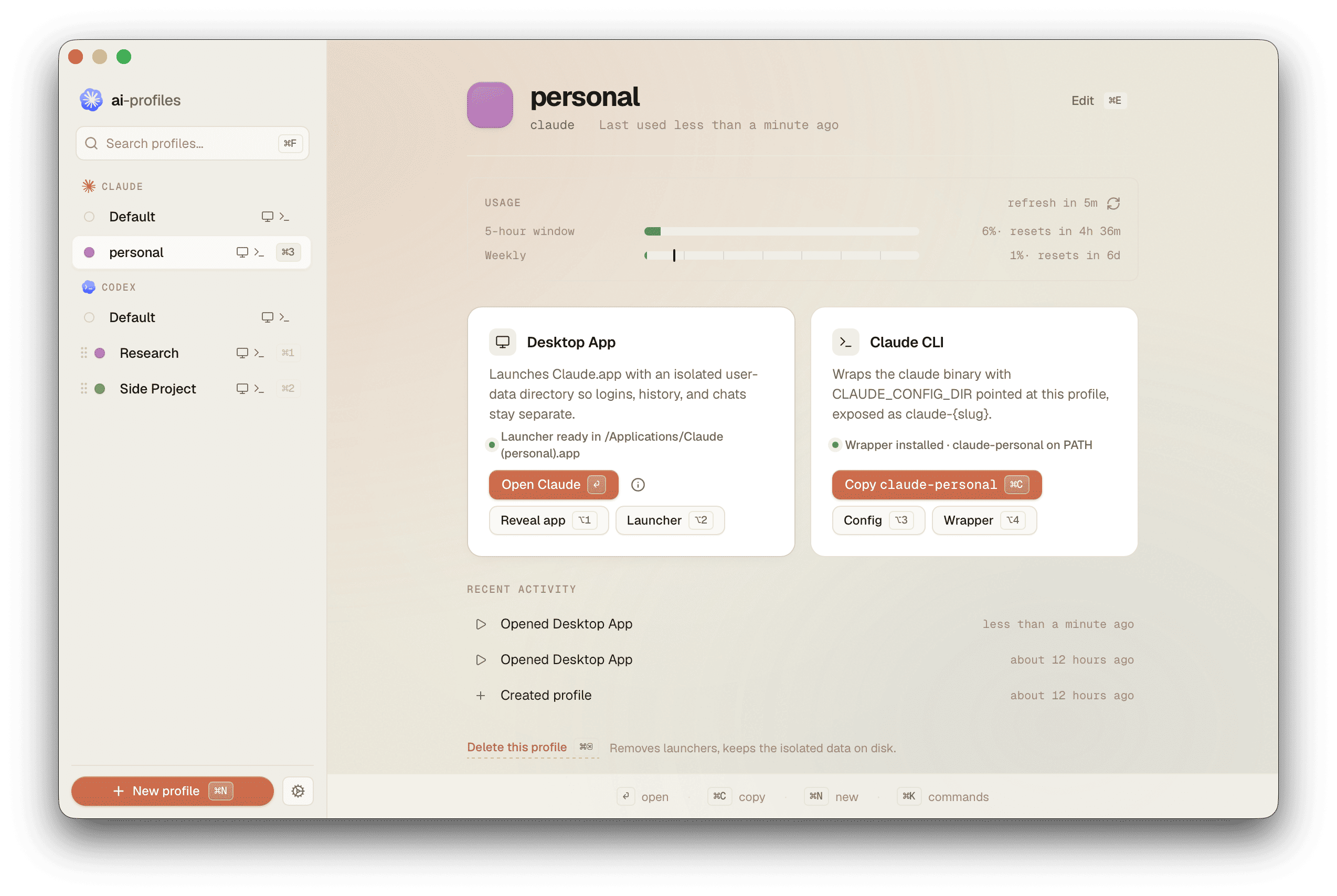
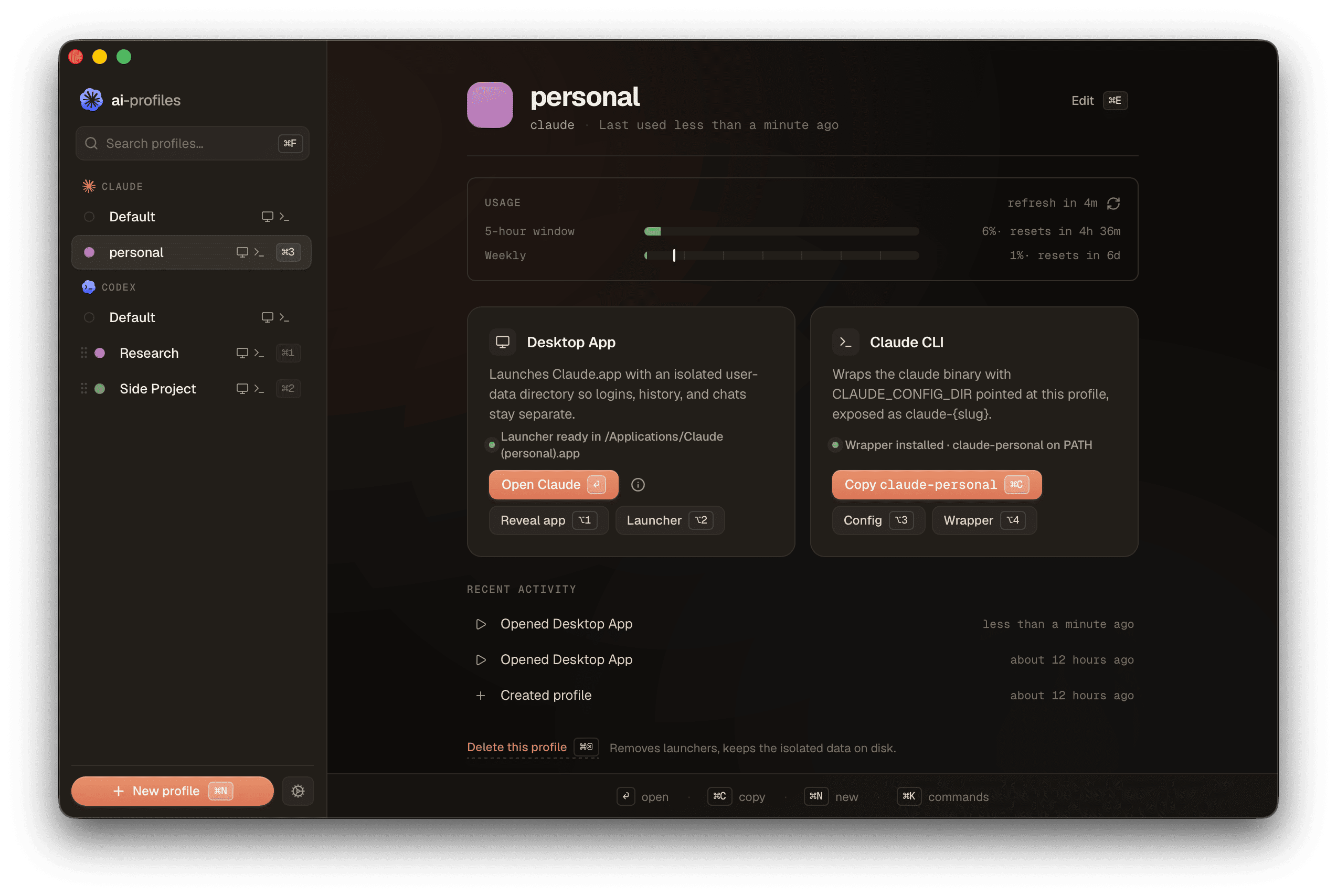
Each profile also installs as a CLI command. Run any profile from any terminal — same CLI tool, isolated credentials.
How it works
You create a profile in ai-profiles for each account — choose Claude or ChatGPT, give it a name like
Personal ,
Work , or
Acme Co.
— and pick a colour. The app generates a Mac launcher
(Claude (Personal).app
or ChatGPT (Work).app)
and a CLI command
(claude-personal
or codex-work),
both named after the profile.
Open them from Spotlight, the Dock, or your terminal. They never share state — each one keeps its own login, history, and settings. Delete a profile and both artifacts go away.
Move a session to another account
Every profile lists its coding sessions: Claude Code from the CLI and the desktop app's Code tab, or Codex from the CLI and the ChatGPT desktop app. Move one to another profile and pick it up there with its full history. Claude sessions move between Claude profiles, Codex sessions between ChatGPT profiles.
Nothing gets deleted. A move copies the session over and archives it at the source, so Restore undoes it. Archive the sessions you're done with, search by title, folder, or last prompt, and filter desktop from CLI.
See how much of your plan you've used
Every profile shows its own utilization right on the detail page — visible at a glance alongside the launcher and CLI buttons. Claude profiles show three meters: the rolling 5-hour window, the 7-day window, and the 7-day Sonnet sub-window. ChatGPT profiles show two: the 5-hour and weekly windows. Each meter shows a percentage and a relative reset time.
The card auto-refreshes every 5 minutes and tells you when the next refresh will fire. Hit ↻ to refresh on demand.
Already using Claude or ChatGPT?
On first launch, ai-profiles asks how you want to start. You pick between two paths:
- Keep separate (default). Your existing Claude stays put. Your new
profile lives alongside it. Both work independently — the new one is reached via
claude-<slug>. - Migrate. Your existing
~/.claudebecomes your first profile. From then on, useclaude-<slug>— plainclaudewill start a fresh install dir. Originals move to a 7-day backup you can restore from.
Either way, ai-profiles never reads or copies your credentials. For
Claude profiles you'll log in once per migrated profile — that's a Claude
Code constraint (Keychain service names derive from
CLAUDE_CONFIG_DIR),
not ours. ChatGPT profiles store credentials in a plain
auth.json
inside each profile's
CODEX_HOME,
so isolation is automatic.
Install
Direct download
Build from source
Frequently asked questions
Does this send any of my data anywhere? +
No. The app is local-only and has no analytics, no telemetry, no remote logging. The only outbound request it makes is to check the GitHub Releases manifest for updates.
Is it really free? +
Yes, MIT licensed. There is a paid app called Multi-Claude that pioneered the desktop-app half of this approach — ai-profiles extends it to the Claude Code CLI and ships open-source.
What if I already have Claude or ChatGPT installed? +
On first launch, ai-profiles asks: (a) keep your existing install separate and start a new profile alongside it (default — press Enter), or (b) migrate your existing install into your first profile. The default leaves your current setup untouched and adds a separate profile reached via claude-<slug> or codex-<slug>. If you choose migrate, the data is copied into the profile dir and the originals are moved to a 7-day backup. You can trigger migration later from Settings → Data → Re-import.
What does 'migrate' actually do to my data? +
Three things, in order: (1) copies the stock app data into the new profile directory under ~/Library/Application Support/ai-profiles/profiles/<id>/ — ~/.claude and ~/Library/Application Support/Claude for a Claude profile, or ~/.codex and ~/Library/Application Support/Codex for a ChatGPT profile; (2) moves the originals into a 7-day backup dir under migration-backup-<timestamp>/; (3) generates the CLI wrapper and launcher (claude-<slug> + Claude (<Name>).app, or codex-<slug> + ChatGPT (<Name>).app). To revert: copy the backup folder contents back to their original locations.
Is it affiliated with Anthropic or OpenAI? +
No. ai-profiles is an independent project, not affiliated with Anthropic or OpenAI. "Claude" and "Anthropic" are trademarks of Anthropic, PBC. "Codex" and "ChatGPT" are trademarks of OpenAI.
Is it safe? What about my Keychain credentials? +
Each profile gets its own Keychain entry, derived from the per-profile config directory. ai-profiles does not read or copy your credentials — Claude Code handles all of that itself. The isolation depends on undocumented Claude Code internals and could break in a future Claude Code release; if it does, we will patch.
Can I move a session from one account to another? +
Yes, between profiles of the same app: a Claude Code session to another Claude profile, a Codex session to another ChatGPT profile. You can't move a session from Claude to Codex or back. The move copies the session to the destination and archives it at the source, so you can restore it if you change your mind. Anything the move would overwrite is backed up first. Chats on claude.ai and in ChatGPT live on the server, so they aren't listed.
How does the per-profile usage card work? +
Each profile's detail page shows that profile's quota utilization and auto-refreshes every 5 minutes. Claude profiles display three meters (5-hour, 7-day, 7-day Sonnet) by reading the profile's OAuth token from its dedicated Keychain entry and calling Anthropic's /api/oauth/usage endpoint. ChatGPT profiles display two meters (5-hour and weekly) by querying the Codex app-server over its JSON-RPC protocol — no extra auth needed, the app-server handles it via the profile's own auth.json. Both quota endpoints are undocumented internals, so the meters may render as dashes if the response shape changes.